 Kinyarwanda
 Oshiwambo
 Tagalog
 Punjabi
Knowing how to automate customer service effectively means going beyond simple scripted responses. This guide explains how to build an AI agent on Proto’s platform – combining structured workflows with LLM-powered intelligence to create a system that is both precise and genuinely conversational.
Two layers, one AI agent: understanding the difference from a traditional scripted flow
The core question when deploying any AI agent vs a chatbot built on a scripted flow alone is: what happens when a user says something you didn’t anticipate?
Proto’s answer is a two-layer architecture. Either the message matches a defined workflow – and the agent executes a precise, pre-built sequence of actions – or it doesn’t, and the LLM steps in to generate a natural, contextual response on the fly.
Think of workflows as the structured backbone of your agent: they handle transactions, guide users through multi-step processes, collect data, and connect to backend systems. The LLM, meanwhile, acts as the agent’s conversational intelligence – fielding general questions, clarifying ambiguities, and keeping interactions feeling natural rather than robotic.
Neither layer alone is sufficient. A scripted flow without an LLM frustrates users the moment they go off-script. An LLM without workflows lacks the precision required for consequential tasks like booking appointments, verifying insurance, or submitting a request. Together, they create an AI agent that is both structured and adaptive.
How workflows are built: triggers and actions
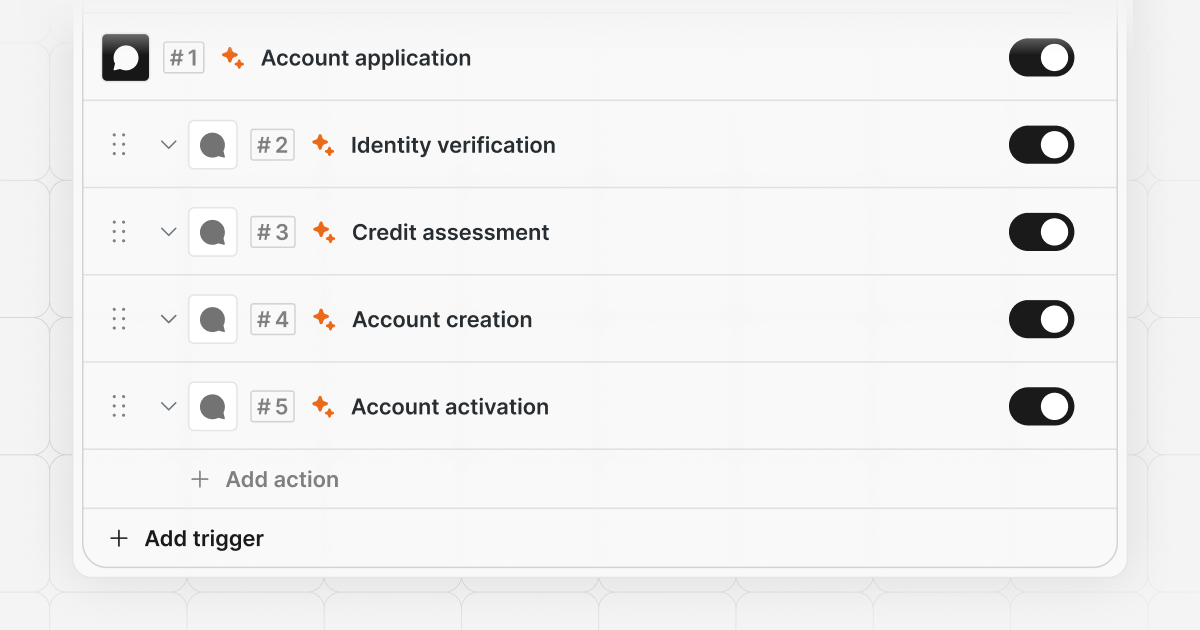
Every workflow in Proto follows the same fundamental pattern: a trigger detects a user intent, and a sequence of actions responds to it. Learning how to create an AI agent on Proto means understanding this trigger-action structure – it is the foundation of every conversation flow you build.
Triggers
A trigger is the event that starts a workflow. Proto supports several trigger types:
- Message received – fires when a user sends a message that matches a trained intent
- Attachment received – fires when the user sends a file or image
- Fallback – fires when no other trigger matches the user’s message and the LLM is not enabled
Each trigger is trained on a set of training phrases – the words and phrases a user might realistically send when expressing a particular intent. For example, a trigger named “Appointment booking” might be trained on phrases like “book an appointment,” “I need to schedule a visit,” or “can I see a doctor.” Proto uses intent classification to match incoming messages against these phrases, activating the correct workflow even when the user’s wording doesn’t exactly match what was entered during training.
You can also define excluded phrases to prevent false positives – cases where similar language should not activate the trigger.
Actions
Once a trigger fires, the workflow executes a sequence of actions. These are the building blocks of your automation:
- Send message – deliver text, quick replies, or buttons to the user
- Send attachment – share files, images, or documents
- Show carousel – present structured card-based options
- Ask survey – collect structured input from the user
- Branch – apply conditional logic (if/else) based on variables or API responses
- Set variable – store and manipulate data throughout the conversation
- Send API – make HTTP requests to external systems
- Create ticket – open a support ticket in a connected helpdesk
- Jump – route the user to a different trigger
- Switch language – change the agent’s active language mid-conversation
- Live agent handoff – transfer the conversation to a human agent
- External handoff – route to a third-party system
- AI agent handoff – pass the conversation to a different AI agent
- Close chat – end the session
Combining these actions – and nesting triggers within triggers – allows you to build sophisticated, multi-step flows that guide users through complex transactions while connecting to your existing backend systems.
Five default workflows
Every Proto AI agent comes pre-loaded with five default workflows that handle universal conversation lifecycle events. These fire automatically without requiring any custom training:
- Chat started – executes when a new conversation opens; ideal for sending a welcome message or setting initial variables
- Chat closed – executes when a conversation ends; useful for sending a closing message or logging session data
- Chat timeout – executes when a user goes inactive mid-conversation; typically used to prompt re-engagement or close the session gracefully
- AI timeout – executes when the LLM takes too long to respond; ensures the user isn’t left waiting without feedback
- Fallback – executes when the user’s message doesn’t match any trained trigger and the LLM is not enabled; acts as a safety net to avoid dead ends
These defaults ensure your agent behaves gracefully in edge cases from the moment it goes live, without any additional configuration.
The role of the LLM: intelligent fallback and knowledge base
While workflows handle structured, transactional interactions, the LLM powers everything else. When a user’s message doesn’t match any existing trigger, the LLM generates a response – drawing on its training, the agent’s knowledge base, and the context of the conversation.
This catch-all capability is what makes the agent feel conversational and approachable. Users can ask open-ended questions, rephrase their requests, or go off-topic entirely, and the agent can respond naturally without breaking.
However, out-of-the-box LLMs are general-purpose tools. For your agent to provide accurate, domain-specific answers – whether it’s explaining insurance coverage, describing a medical procedure, or quoting a government regulation – the LLM needs to be trained on your specific knowledge. Proto supports several training options, including syncing URLs so the agent stays current as your content changes, uploading documents such as PDFs, JSON files, and spreadsheets, and entering knowledge directly into the platform. The quality of the LLM’s responses is directly proportional to the quality and specificity of this training.
Running without an LLM: workflows as a complete solution
An LLM is not a requirement. For many organisations – particularly those in regulated industries or markets with strict data residency rules – running an AI agent on workflows alone, with no generative AI layer, is not just viable, it is the right choice.
This matters most where LLM data privacy is a genuine constraint. When an LLM is enabled, your users’ messages are sent to a third-party provider such as OpenAI or Anthropic for processing. For organisations where that data transfer is not permissible – due to regulatory constraints, internal policy, or the sensitivity of the information being handled – a workflow-only agent eliminates the risk entirely. Every response the agent gives is defined and controlled by you. No conversation data leaves your environment.
The trade-off is that workflows require more deliberate upfront design. Because there is no LLM to catch unscripted questions, every intent the agent needs to handle must be anticipated and built as a trigger. This demands thorough understanding of your audience’s needs, careful training phrase coverage, and a well-considered fallback strategy. The result, however, is a highly predictable agent with a clearly auditable response set – which is often exactly what compliance-sensitive deployments require.
For organisations that need the best of both worlds, Proto offers a dedicated LLM as part of its Enterprise offering. Rather than relying on a shared third-party service, this is a self-hosted LLM – a customised language model trained on your organisation’s knowledge and deployed within a secure, on-premise or hybrid hosting environment. Conversation data stays within your infrastructure, giving you the flexibility of LLM-powered responses without the data-sharing trade-off.
In short, the choice of how much to rely on an LLM is yours to make:
- Workflows only – maximum control, no third-party data sharing, available on any plan
- Workflows + third-party LLM – natural conversation layer on top of structured flows, with data processed externally
- Workflows + dedicated self-hosted LLM – full conversational capability with no data leaving your infrastructure, available on Enterprise
Putting it together
A well-built AI agent for customer service uses both layers intentionally. Workflows cover the high-stakes, process-driven interactions where accuracy and structure matter most – collecting data, integrating with APIs, routing to the right team, and completing transactions. The LLM fills the space around those workflows, handling the unpredictable, conversational side of every interaction.
When a user asks “how do I book an appointment?” – the message received trigger fires, and the workflow takes over. When the same user asks “what should I bring to my appointment?” – the LLM responds, drawing from the knowledge base you’ve provided.
Together, these two layers let you build an AI agent capable of automating customer service end to end – from a user’s first message to a resolved ticket or completed transaction. For a practical walkthrough, see the medical bookings, LOA, and health plan eligibility workflow guide.