
Release notes
September 2026
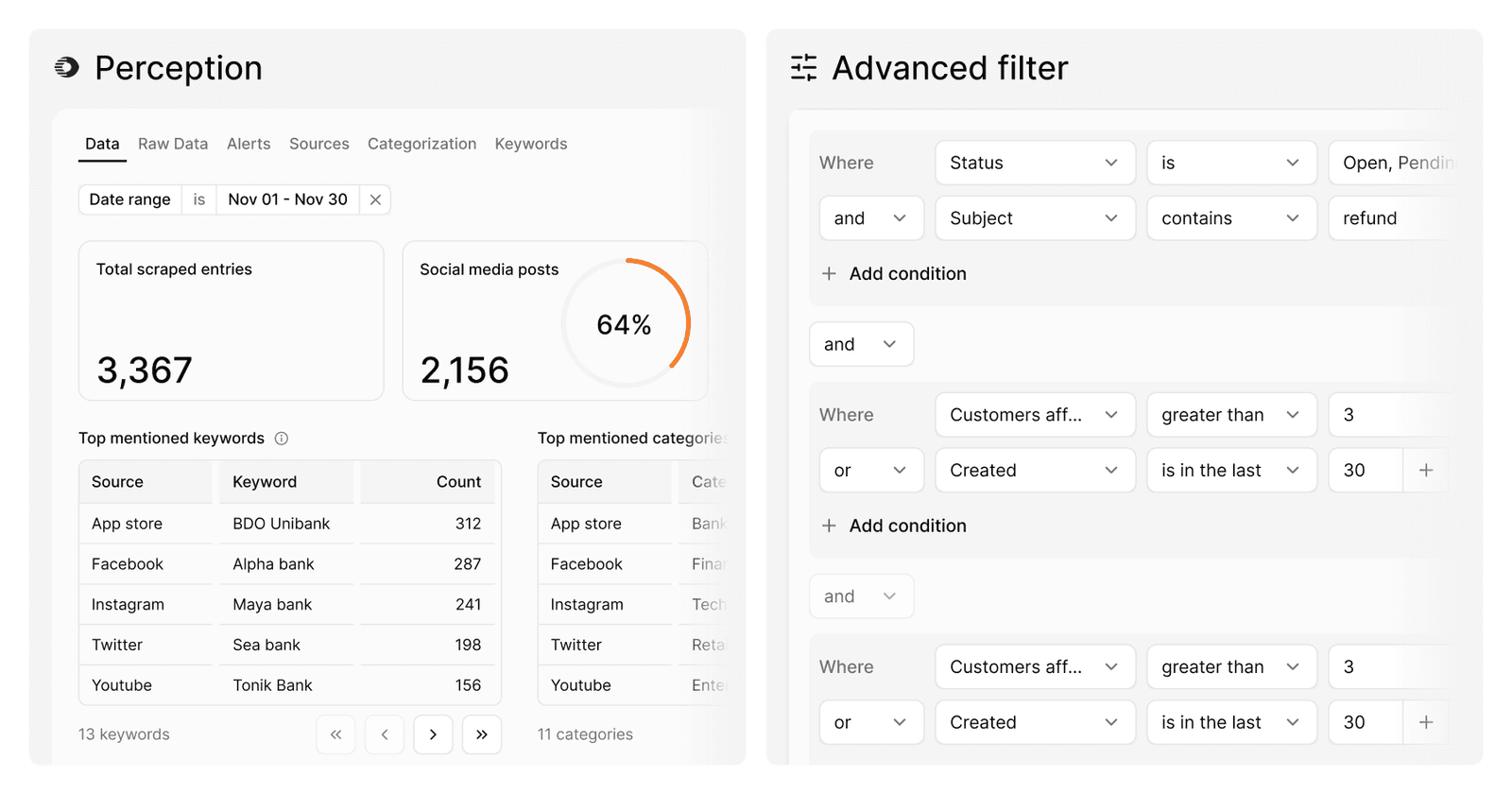
Perception: hear what the public is saying
Perception brings public conversation into Proto, next to your own chats and tickets. Sources and Keywords are now open to every client, so each team can choose where to listen and which terms to track. Scraping covers Facebook, X, Instagram, TikTok, YouTube, the App Store and Google Play. Every entry is categorised automatically, using the custom fields you already use for chats and tickets, with sentiment scored in the same pass.
Richer charts in AI agent conversations
Charts sent by your AI agent now say more at a glance. Combine lines and bars in a single chart, add an optional legend, show percentage labels on pie charts and switch any chart to a table view when you need the exact numbers. Tooltips on financial values are clearer too. Introduced at the request of CBUAE and available to all clients.
Advanced filters in Analytics
Build exactly the view you need. Analytics now supports advanced filters, so you can combine conditions with AND and OR to narrow your data down to what matters.
Other improvements
- Faster inbox – the conversation list loads noticeably faster, especially in busy workspaces.
- A clearer inbox co-pilot – it keeps its conversation as you move between chats and tickets, with a reset option. Mediation mode is easier to spot, with its own prompt text and a “Suggest resolution” reply. Editor buttons have tooltips, and a shortcut takes you to the co-pilot settings.
- Your own sender domain – outgoing ticket emails can show your root domain instead of a subdomain, and the ticket reference now sits at the start of the subject line.
- Five-minute auto-close – a shorter inactivity option for closing idle chats.
- Date calculations in Proto Script – add days to any date, for example “today plus 15 days”.
- Safer IP allowlist – enabling the IP allowlist now includes safeguards, so admins can’t accidentally lock themselves out.
Bug fixes
- Users with restricted permissions can no longer export all conversations.
- Plain-text emails, such as those sent from iPhone Mail, now show their body in the inbox.
- Training your AI agent on “All webpages” of a domain now works more consistently.
- Quick reply buttons now appear more consistently when a chatbot flow is repeated.
- Proactive messages can now use a “Jump to trigger” button, which starts a workflow when a visitor clicks it. The list of triggers to choose from now loads correctly in webchat settings.